

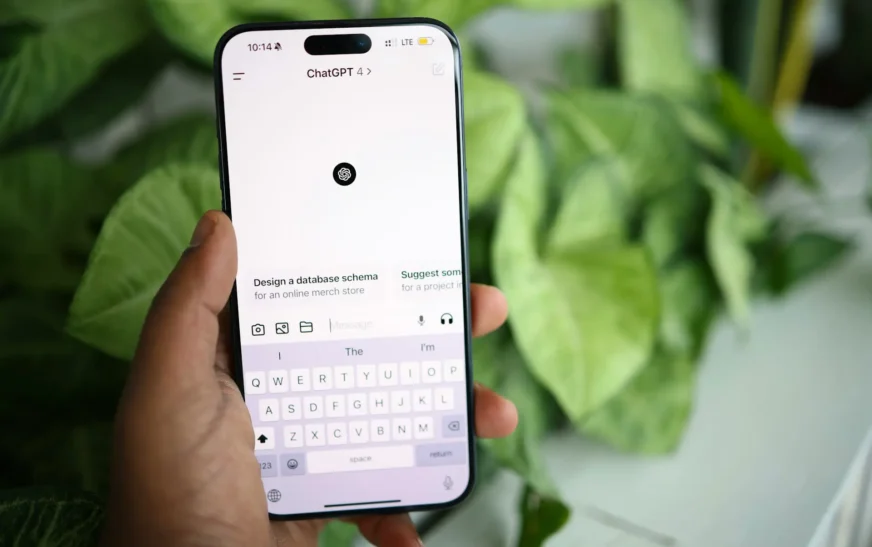
You have probably heard people talking about ChatGPT at work, at school, or online. It can answer questions, explain difficult topics, help write emails, brainstorm ideas, assist with coding, and perform many other tasks.
But what is ChatGPT, exactly?
ChatGPT is an artificial intelligence assistant developed by OpenAI. Instead of making you search through pages of results, it lets you communicate with AI using everyday language. You type a question or instruction, often called a prompt, and ChatGPT generates a response based on what you asked.
Behind that simple chat box is some fairly advanced technology. This beginner’s guide explains how ChatGPT works, what you can use it for, where its answers come from, and what you should know before relying on its responses.
What Is ChatGPT?
ChatGPT is a conversational AI assistant created by OpenAI. According to OpenAI’s introduction to ChatGPT, it can understand natural language and generate responses to questions and instructions.
The name can be broken into two parts:
Chat refers to the conversational way you interact with the tool.
GPT stands for Generative Pre-trained Transformer, which describes the type of artificial intelligence technology behind it.
You do not need to understand machine learning or programming to use ChatGPT. You can simply type something like:
Explain how Wi-Fi works in simple terms.
Or:
Give me five ideas for a birthday dinner.
ChatGPT reads the request and creates a response.
Unlike a traditional search engine, the main experience is built around conversation. You can ask follow-up questions, add instructions, request a simpler explanation, or ask ChatGPT to change its previous response.
How Does ChatGPT Work?
The simple answer is that ChatGPT has been trained to recognize patterns in large amounts of information and use those patterns to generate responses.
OpenAI explains that the models behind ChatGPT learn relationships within information, including how words tend to appear together. When producing text, the model predicts what should come next based on the context of your request and what has already been generated.
That process happens repeatedly until a complete response is produced.
This may sound simple, but it requires a powerful large language model, or LLM.
What Is a Large Language Model?
A large language model is a type of AI system designed to process and generate language.
During training, an LLM learns patterns involving words, sentences, concepts, styles, and relationships between pieces of information. It does not simply keep a giant collection of prewritten answers to every possible question.
Instead, it uses the patterns it learned during training to create responses.
This is one reason ChatGPT can respond to questions that may have never been written in exactly the same way before.
What Is a Transformer?
The “T” in GPT stands for Transformer.
A Transformer is a type of neural network architecture introduced in the influential 2017 research paper Attention Is All You Need.
One of the important ideas behind Transformers is called attention. In simple terms, attention helps the model determine which parts of the information it is processing are most important in relation to other parts.
Imagine you ask:
Can you explain why my laptop becomes slower when I have 30 browser tabs open?
The model needs to understand that “slower,” “30 browser tabs,” and “laptop” are connected parts of the same question. Transformer technology helps AI models understand those relationships and context.
How Does ChatGPT Generate an Answer?
When you enter a prompt, several complicated processes happen behind the scenes. For a beginner, however, you can think about it in four basic stages.
1. You Enter a Prompt
A prompt is the question, instruction, or information you give ChatGPT.
For example:
Explain RAM to me like I’m a beginner.
Your prompt provides the context ChatGPT needs to determine what kind of response you want.
2. ChatGPT Processes the Context
The model analyzes your request and the relevant context in the conversation.
This is why follow-up questions can work.
You might first ask:
What is RAM?
Then follow it with:
How much do I need for gaming?
ChatGPT can use the previous conversation to understand that you are still talking about computer memory.
3. The Model Predicts the Response
ChatGPT generates its answer by predicting likely pieces of text based on the prompt, conversation context, and patterns learned during training.
According to OpenAI’s explanation of how its models are developed, its models learn from different types of information and use learned relationships to generate responses.
This prediction process happens rapidly, which is why you normally see sentences appearing almost immediately.
4. You Can Continue the Conversation
One of ChatGPT’s most useful features is that you can refine the answer without starting over.
For example, after receiving an explanation, you could say:
Make that easier to understand.
Or:
Give me an example.
Or:
Turn this explanation into a table.
Good ChatGPT prompts often include clear instructions about what you want, but you do not need to create the perfect prompt on your first attempt.
What Can ChatGPT Do?
Understanding what ChatGPT is becomes easier when you look at what people can actually do with it.
Depending on the features and tools available to you, ChatGPT can help with tasks involving writing, learning, research, brainstorming, coding, analysis, and more.
Common uses include:
- Explaining complicated subjects
- Brainstorming ideas
- Summarizing information
- Drafting and editing text
- Creating outlines
- Helping with computer code
- Translating or working with languages
- Analyzing information
- Answering follow-up questions
- Planning projects and tasks
For example, someone learning about computers could ask ChatGPT to explain the difference between a CPU and GPU. A programmer might use it to understand an error message. A small business owner could use it to brainstorm topics for a newsletter.
The important point is that ChatGPT is a general-purpose AI tool rather than software built to perform only one task.
How to Use ChatGPT for the First Time
Learning how to use ChatGPT does not require any special technical knowledge.
Start by telling it clearly what you need.
Instead of writing:
computers
you could ask:
Explain the difference between a desktop and laptop computer for someone buying their first computer.
The second prompt gives the AI more context.
You can make prompts even more useful by including details such as the goal, audience, desired length, format, and level of difficulty.
For example:
Explain what a CPU does in fewer than 200 words. Write for someone who knows very little about computer hardware and include one simple real-world comparison.
If the first answer is not what you wanted, add another instruction. Treat the interaction more like a conversation than a single search query.
Is ChatGPT the Same as a Search Engine?
Not exactly.
A search engine traditionally helps you find webpages and other online resources related to a query. You review those sources and decide which information is useful.
ChatGPT can generate a direct response to your question.
The distinction has become less clear as AI assistants have gained tools that can search or browse the web. However, generated answers and search results still should not be treated as exactly the same thing.
For research where accuracy matters, check the original sources behind important claims rather than assuming an AI-generated answer is automatically correct.
Does ChatGPT Know Everything?
No.
ChatGPT can provide convincing answers, but that does not mean every response is correct.
AI models can sometimes generate incorrect information, misunderstand a question, miss important context, or confidently state something that is not true. This type of incorrect AI-generated information is sometimes called a hallucination.
For everyday brainstorming, a small error may not matter much. For medical, legal, financial, academic, security, or other important decisions, verification is much more important.
A useful rule is simple: use AI to help you work with information, not as automatic proof that information is true.
When accuracy matters, ask for sources and check those sources yourself.
Is ChatGPT Safe to Use?
ChatGPT can be useful, but you should still think carefully about what information you share with an AI service.
Avoid entering passwords, banking information, confidential company data, private client information, or other sensitive material unless you understand how the service and your particular account handle that data.
OpenAI provides several privacy settings for ChatGPT. Its Data Controls documentation explains how users can manage settings related to their conversations and data.
OpenAI also says users can choose whether their conversations help improve its models. Temporary Chat provides another privacy option for conversations that users do not want saved in their history or used to improve models.
Privacy features can change over time, so checking the current settings and documentation is better than relying on old instructions.
What Are the Advantages of ChatGPT?
One of ChatGPT’s biggest advantages is accessibility. You do not need to learn programming commands before you can start using AI.
You communicate through ordinary language.
It is also flexible. The same tool can explain a computer component, help debug a piece of code, summarize a document, brainstorm a project name, or rewrite a confusing paragraph.
Another advantage is the ability to refine results through conversation. Instead of creating an entirely new query each time, you can explain what was wrong with the previous response and request something better.
This can make generative AI useful for both beginners and more experienced technology users.
What Are the Limitations of ChatGPT?
ChatGPT is powerful, but understanding its limitations is just as important as understanding its features.
The main limitations include accuracy, context, and reliability.
An answer that sounds confident can still contain a mistake. ChatGPT can also misunderstand vague prompts or lack information needed to answer a highly specific question.
Results therefore improve when users provide clear context and verify important information.
It is also worth remembering that AI-generated output still requires human judgment. A polished paragraph, piece of code, or explanation is not automatically the best or most accurate solution.
Think of ChatGPT as a tool that can assist your thinking rather than replace it.
Why ChatGPT Matters
ChatGPT has made generative AI much easier for ordinary people to interact with.
You no longer need to be an AI researcher or software developer to experiment with a large language model. You can ask questions using the same type of language you would use when talking to another person.
That accessibility has opened up new ways to learn, create, research, and work with technology.
At the same time, becoming comfortable with AI means learning when to question its output. Knowing how to write useful prompts, check sources, protect private information, and recognize possible errors is becoming an important part of using these tools responsibly.
Frequently Asked Questions About ChatGPT
Is ChatGPT artificial intelligence?
Yes. ChatGPT is an AI-powered assistant that uses large language models to understand instructions and generate responses.
Is ChatGPT free?
ChatGPT has a free option, while OpenAI also offers paid plans. Features and limits can vary between plans and may change, so check OpenAI’s current plan information before choosing one.
Does ChatGPT search the internet?
ChatGPT can use web-search capabilities when they are available and appropriate, but not every response necessarily involves a live internet search. If current information matters, make sure the answer is based on up-to-date sources.
Can ChatGPT give wrong answers?
Yes. ChatGPT can produce inaccurate or misleading information. Important claims should be checked against trustworthy sources, especially when making decisions involving health, money, law, safety, or other high-stakes subjects.
What is the best way for beginners to use ChatGPT?
Start with a clear question and provide useful context. Tell ChatGPT what you want to accomplish, who the response is for, and what format you prefer. Then use follow-up prompts to improve the result.
Conclusion
So, what is ChatGPT? It is an AI assistant that uses large language models to understand prompts and generate useful responses in natural language.
Under the hood, technologies such as Transformers allow the model to recognize relationships and context in language. For the user, however, the experience can be as simple as typing a question and continuing the conversation.
ChatGPT can help you learn, brainstorm, write, analyze information, and solve problems, but it should not be treated as an error-free source of truth. Check important information, protect sensitive data, and use your own judgment when evaluating its responses.
Learning how ChatGPT works is also a useful first step toward understanding the wider world of artificial intelligence. As AI becomes a bigger part of everyday software and computing, knowing both what these tools can do and where their limits lie can help you use them more effectively.